Player_logo Podcasts Community Create a Podcast
Aron's podcast
Give it a listen!
Category: House
Location: NY
Followers (368)
Currently following. Unfollow
25x25_7571302 Image_nophoto 25x25_7542582 25x25_6942698 25x25_4221278 25x25_6945099 25x25_7872399 25x25_7146647 25x25_6950911 25x25_5029940 Image_nophoto 25x25_6821695 25x25_6643073 Image_nophoto 25x25_6846423 25x25_6871337 25x25_6820839 25x25_7919598 25x25_7092455 25x25_5294318
100x100_4969585
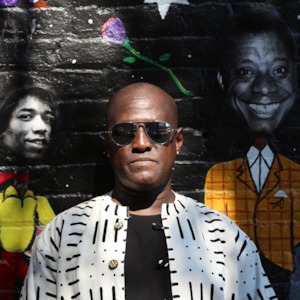
I'm an independent recording artist/record label owner, house music dancer, and martial artist (Karate) from NYC. I'm originall...


by Aron Prince
x
take it with you
Iphone_trans learn how to get this podcast on your mobile device »
x
loading results...
loading results...
x
No results found.
April 30, 2013 07:21 AM PDT

Lyrics written by Aron Prince

Vocals by Aron Prince

Ntsako's Infection Remix produced by Ntsako

(c)& (p) 2012 Aron Prince Entertainment

April 28, 2013 10:43 AM PDT

Production Team:

Words: Aron Prince

Remix: RedDeep aka Lebese Kabelo Goldwin

Publishing: Aron Prince Music (BMI)

Copyrighted: Aron Prince Entertainment 2012

April 28, 2013 09:31 AM PDT

Transformation (House Music) is a song about how House music (any genre of music in fact) serves as a form of therapy, a source of inspiration, and how it re-establishes a sense of hope. It liberates the body, mind, and soul!

Lyrics: Aron Prince

Dr. Thizas Remix by Themba "Dr. Thiza" Mdluli (courtesy of Soul Sun Soul Music)

Publishing: Aron Prince Music (BMI) Copyright: 2011

loading more...
 
x

take it with you


Iphone_trans Listening to podcasts on your mobile devices is extremely convenient -- and it's what makes the podcasting medium so powerful.

You can take your favorite shows and mixes with you anywhere, but to do so requires some quick and simple steps.

Let's walk you through that process together.
step 1:


Click the "Subscribe With iTunes" link in the page's sidebar:


This will require that you have the iTunes software on your computer.

(You can download iTunes here.)
step 2:
Itunes_ss

Now that you've subscribed to the podcast on iTunes, the feed will display in your "Podcasts" section on the left navigation bar.

Click there and you'll see the show displayed in the iTunes browser.

You can "get all" to download all available episodes or just individual episodes.
step 3:


Plug your mobile device (iPhone, iPad, iPod) into your computer with the Dock Connector cable, and click the device in iTunes's left navigation bar.

Itunes_ss2

Once you have your device highlighted, click "Podcasts" in the top navigation bar and sync the podcasts you want on your device. Click "apply" and the episodes you have downloaded on your iTunes software will sync with your device.
that's it!

The beauty of this process is that now, every new episode of your subscribed podcasts will automatically sync to your device every time you plug it in and open iTunes. You can now take your favorite shows with you everywhere you go.

Enjoy!
done!
x

share this podcast


Email a friend about this podcast
x

subscribe to this podcast

Rss-icon RSS
Itunes-icon iTunes